How to Organize Coaching Client Information
- coaching
- client management
- crm
Picture how a coach's client information actually lives. The name is a contact in your phone. The real conversation is split between WhatsApp and Telegram, with a few voice notes you'll never find again. Payments are in a spreadsheet you update when you remember. And what you worked on last time is a line in a notebook, if you wrote it down at all.
None of this is broken on its own. The cost is quieter: before every session you rebuild the picture from four places, and somewhere in that rebuild you forget who's on their last prepaid session.
What to actually keep about a client
The list is shorter than it feels. For each client, you need:
- a way to reach them, and the messenger you actually talk in;
- their request and the goal you agreed on;
- the history of sessions you've had;
- a short note after each one;
- payments, and how much of their package is left;
- a status — active, paused, or finished.
Everything past that is decoration. If you can see those six things in one glance, you're prepared for the session. If they're spread across apps, you're not — no matter how much you write down.
How to set up a client card
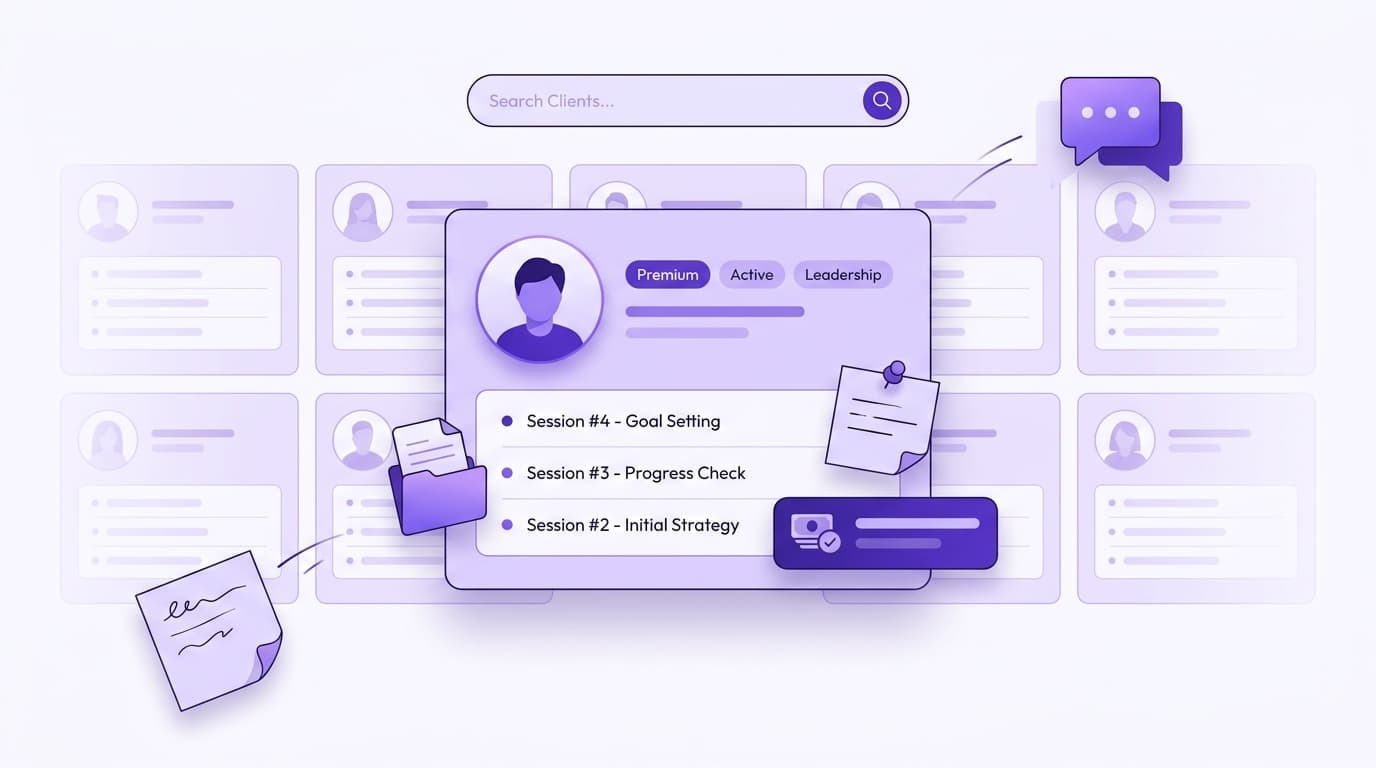
The shift that fixes most of this is small: one card per client instead of five sources. Open the person and the request, the goal, the sessions, the notes, the payments, and the status are all on the same screen.
Two things keep it usable as the list grows. Tags — topic, format, where they came from — so you can pull up "everyone I see online for career coaching" without scrolling. And search, so a client you haven't seen in two months is one query away, not a scroll through a year of rows.
Session notes
Notes are where coaching memory lives, and they're the first thing a spreadsheet can't hold well. The rule is simple: write enough that next session you remember the context, and no more.
After a session, a few lines is plenty — what you covered, what they committed to, what to open with next time. You're not keeping a transcript. You're leaving yourself a note so the next conversation starts where the last one ended, instead of "remind me where we got to?"
Payments and packages inside the card
This is the part people hold in their head, and the part that quietly costs money. When the package balance lives on the client's card, you see who paid, how many sessions are left, and the full payment history without opening anything else.
The benefit shows up at the edge: the session before someone's package runs out, you already know, so you sell the next one instead of giving away a free session by accident. If you want the payment side on its own, this is covered in detail in how to track who paid and who still owes you — the mechanics are the same whether you coach or tutor.
Where it usually breaks
The failure isn't any one tool. It's that the notebook, the spreadsheet, and the chat don't know about each other.
You mark a payment in the sheet but the note about it stays in Telegram. You promise a client a reschedule in WhatsApp and it never reaches the calendar. Two months later someone asks what you discussed, and the answer is in a voice message you can't find. Each tool is fine; the gaps between them are where clients fall through. That's usually the moment to weigh whether it's time to move off the spreadsheet.
Putting it in order, with Session.do
Session.do is built around exactly this: one client card instead of the scatter.
Each client has their own card with the session history and tags, and their Telegram, WhatsApp, Viber, or Instagram link sits right there — you reach them from the card instead of hunting through apps. Notes attach to the client, so the history is one screen, not five tabs. Packages count down as sessions happen and payments show who paid and who owes, card, crypto, or cash. And your booking page hands the back-and-forth about times over to the client: they open the link, see your real availability, and confirm without an account.
A word on privacy
Client information is sensitive — goals, struggles, what someone told you in confidence. It deserves better than a shared spreadsheet file and a chat history that anyone holding your unlocked phone can scroll.
The safer habit is one protected place you log into, where each note stays attached to the client it belongs to. Not scattered across a notebook, a sheet, and three chats, where you've half-lost track of what's stored where.
You don't need more discipline to keep client information straight. You need one card instead of five apps — and the rest stops being something you carry in your head.
Frequently asked questions
- I only have a handful of clients. Is this worth setting up?
- If you have three or four clients who pay per session and you never lose the thread, a notebook is fine. One card per client earns its place once you sell packages, run a waitlist, or catch yourself checking three apps before a session to remember where someone left off.
- Should I move everything over from my spreadsheet?
- No. Add your active clients and their current package balance, then let the next payment and the next note land in the card instead of the sheet. Keep the old spreadsheet as a read-only archive. You're changing a habit, not running a migration.
- How private is this compared to my notes and chats?
- Client records sit in one account you log into, not in a shared file or a chat history anyone with your unlocked phone can scroll. You decide what goes in a note, and it stays attached to that client instead of floating across apps.
- Do my clients need an account to book or pay?
- No. They open your booking link, pick a free slot, and confirm. The account is only for you; the client just sees the times you offer.